Recording a tricky phrase usually means scrubbing back to the right spot, counting yourself in, and hoping the timing is right. One bad take means doing it all over again.
Loop Zone lets you define a window in your project and record within it on repeat. Voloco loops that section continuously — you stay in the pocket and focus on the performance, not the controls.
When the take is right, you'll know. Stop the loop, keep the best pass, and move on.
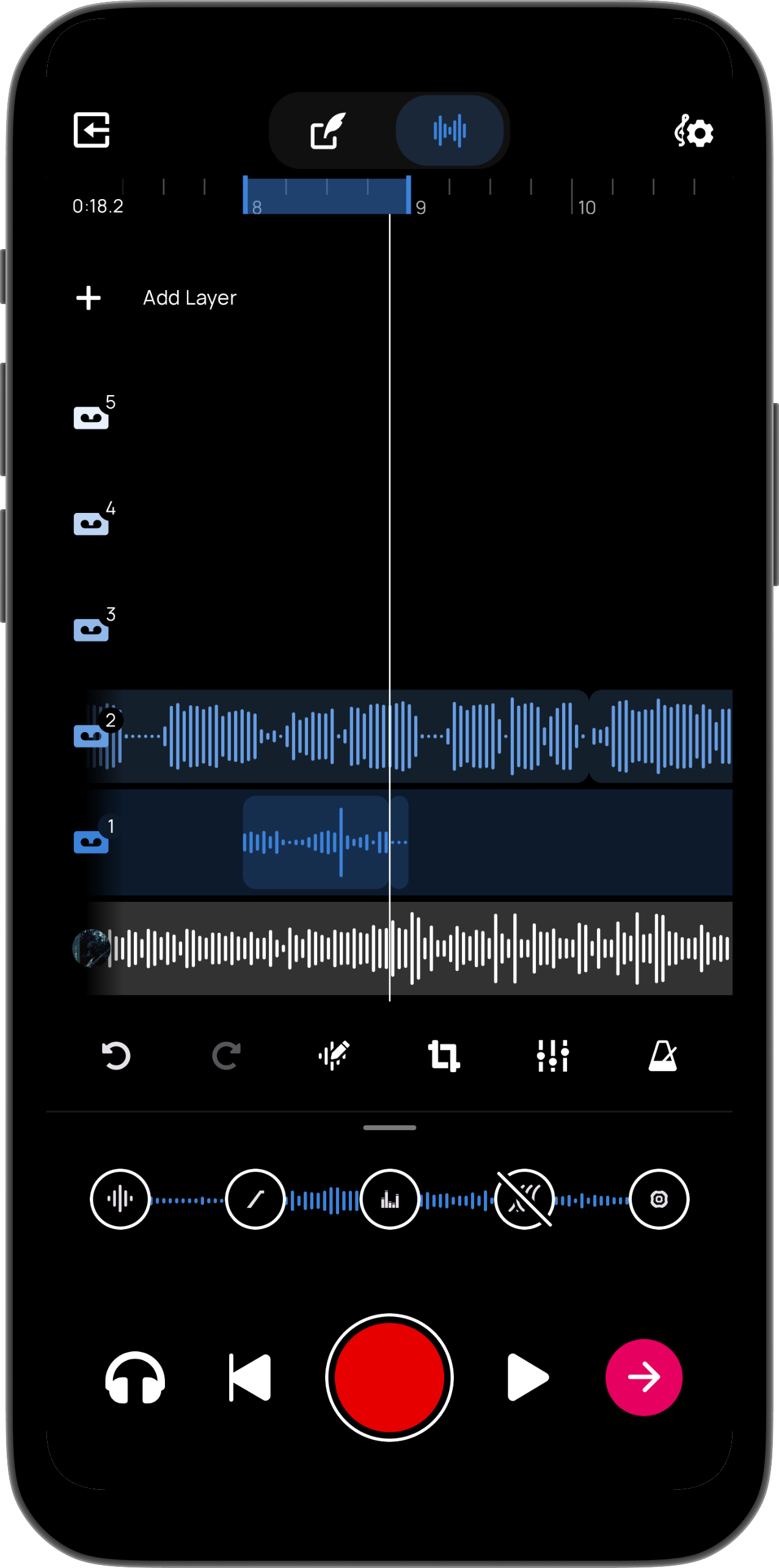
Set in and out points anywhere on the timeline. Loop Zone plays only that window — as tight as a single bar or as wide as a full verse.
Once you start, Voloco loops the region automatically. No manual rewinding, no losing your place — just stay focused on singing.
Record a new take on each pass without stopping. Each loop gives you another shot at the phrase until one lands exactly right.
Nail it or try again. After each pass, hear exactly what you captured. Not quite right? Hit record and take another shot at the same section. Keep the take that lands.