Most phone recording apps give you a single vocal track over a backing track. Want harmonies, ad-libs, or layered vocals? You're recording to one take and hoping for the best, or exporting everything to a desktop DAW.
Professional vocal production requires multiple takes, layers, and arrangement flexibility. Desktop software can do this, but you're stuck at your computer.
Voloco Studio turns your phone into a multitrack vocal production environment. Record up to 8 vocal layers, arrange them visually, mix individual tracks, and produce complete songs without leaving your device.
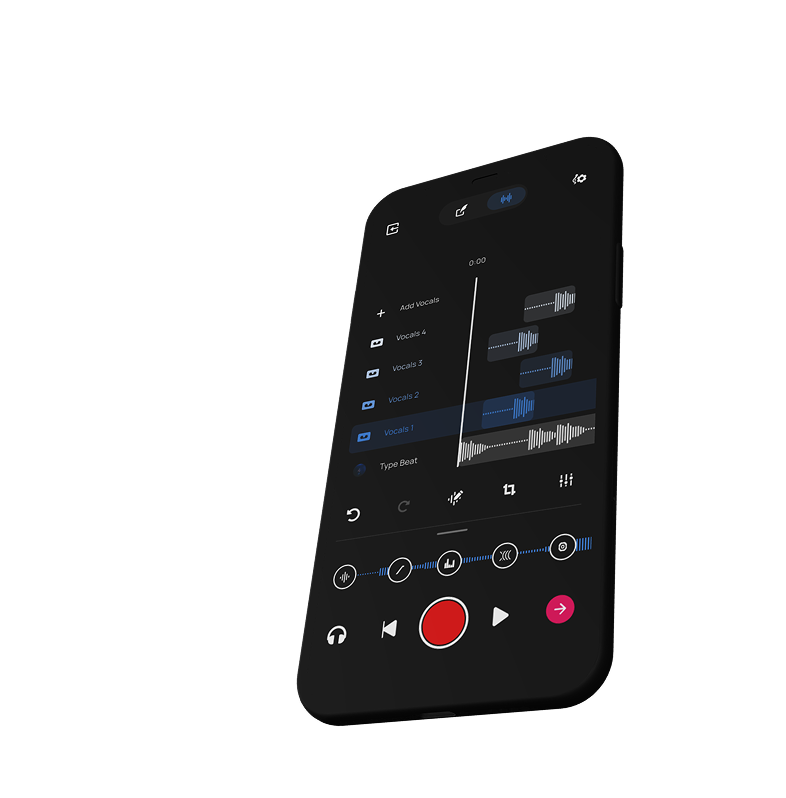
Record lead vocals, harmonies, ad-libs, and backing vocals as separate tracks. Each layer gets independent volume, pan, and effect controls.
See all your vocal layers in a timeline view. Move, trim, and arrange recordings with precision.
Balance each vocal layer independently. Adjust volume, stereo position, and apply different effects to each track.
High-quality audio capture with low latency monitoring. Record like you're in a real studio.